Textbox
| Support | |
|---|---|
| Events | Yes |
A Textbox element is a form input element; you can render a Textbox, single and multiline, to your page using New-PodeWebTextbox.
A Textbox by default is a normal single lined textbox, however you can customise its -Type to Email/Password/etc. To change the textbox to be a multiline textbox you can supply the -Multiline switch.
Supported types are: * Text * Email * Password * Number * Date * Time * File * DateTime
Textboxes also allow you to specify -AutoComplete options, as (described here).
Single
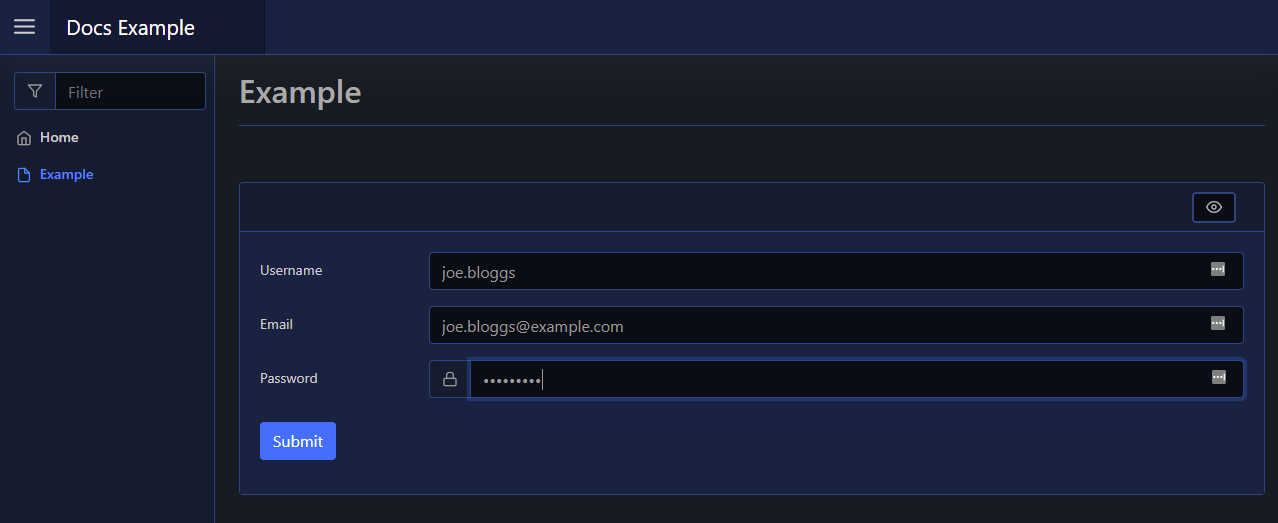
A default Textbox is just a simple single lined textbox. You can change the type to Email/Password/etc using the -Type parameter:
New-PodeWebCard -Content @(
    New-PodeWebForm -Name 'Example' -ScriptBlock {
        $username = $WebEvent.Data['Username']
        $email = $WebEvent.Data['Email']
        $password = $WebEvent.Data['Password']
    } -Content @(
        New-PodeWebTextbox -Name 'Username'
        New-PodeWebTextbox -Name 'Email' -Type Email
        New-PodeWebTextbox -Name 'Password' -Type Password -PrependIcon Lock
    )
)
Which looks like below:
AutoComplete
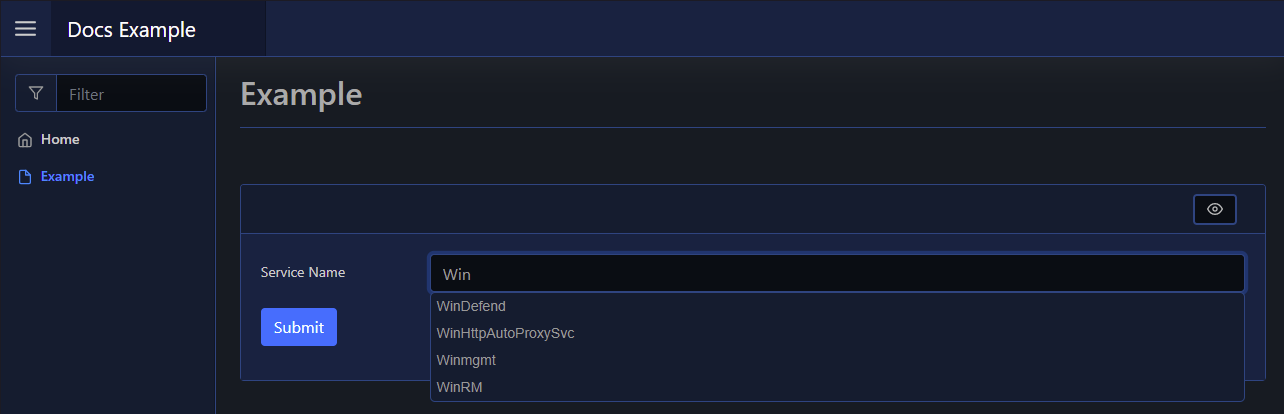
For a single Textbox, you can supply autocomplete options via a scriptblock passed to -AutoComplete. This scriptblock should return an array of strings, and will be called once when the textbox is initially loaded:
New-PodeWebCard -Content @(
    New-PodeWebForm -Name 'Example' -ScriptBlock {
        $svcName = $WebEvent.Data['Service Name']
    } -Content @(
        New-PodeWebTextbox -Name 'Service Name' -AutoComplete {
            return @(Get-Service).Name
        }
    )
)
Which looks like below:
Delay
You can delay when the autocomplete options are shown by supplying -AutoCompleteMinLength. By default this is 1, and the value refers to the number of characters typed into the Textbox before the option are displayed.
Note
The options will still be loaded on initial page load, but will not render until the specified number of characters.
Dynamic
To have the autocomplete scriptblock be invoked on every character, instead of once on page load, you supply -AutoCompleteType Always. The default is Once, and Always will invoke the scriptblock every time.
To help with dynamic filtering, the current value entered into the Textbox is supplied as $WebEvent.Data.Value - this is only available when using the Always autocomplete type, and not in the default Once type.
New-PodeWebCard -Content @(
    New-PodeWebForm -Name 'Example' -ScriptBlock {
        $svcName = $WebEvent.Data['Service Name']
    } -Content @(
        New-PodeWebTextbox -Name 'Service Name' -AutoCompleteType Always -AutoComplete {
            return Get-Service |
                Where-Object { $_.Name -ilike "*$($WebEvent.Data.Value)*" } |
                Select-Object -ExpandProperty Name
        }
    )
)
Tip
The -AutoCompleteMinLength parameter still work here, and the scriptblock will only be invoked after the specified number of characters.
Multiline
A multi-lined Textbox can be displayed by passing -Multiline. You cannot change the type of this Textbox as only Text types support multi-line:
New-PodeWebCard -Content @(
    New-PodeWebForm -Name 'Example' -ScriptBlock {
        $message = $WebEvent.Data['Message']
    } -Content @(
        New-PodeWebTextbox -Name 'Message' -Multiline
    )
)
Which looks like below:
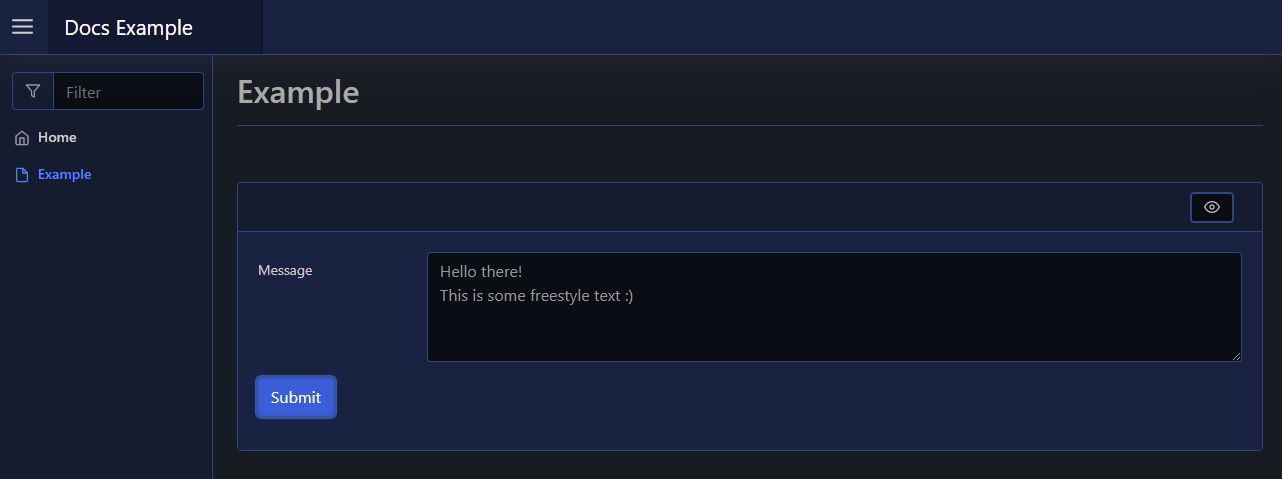
By default it shows the first 4 lines of text, this can be altered using the -Size parameter.
Display Name
By default the label displays the -Name of the element. You can change the value displayed by also supplying an optional -DisplayName value; this value is purely visual, when the user submits the form the value of the element is still retrieved using the -Name from $WebEvent.Data.
Size
The -Width of a textbox has the default unit of %. If 0 is specified then auto is used instead. Any custom value such as 100px can be used, but if a plain number is used then % is appended.
The -Height of the textbox is how many lines are displayed when the textbox is multiline.
Initial Value
You can create the Textbox with an initial value by using the -Value parameter. When using this parameter for a Textbox of type Date or Time the formats should be as follows:
- Date:
-Value 'yyyy-mm-dd' - Time:
-Value 'hh:mm'